
What is Abuse Reporting? Complete Guide
Learn how to effectively report digital abuse, recognize its signs, and understand the importance of evidence in ensuring online safety.
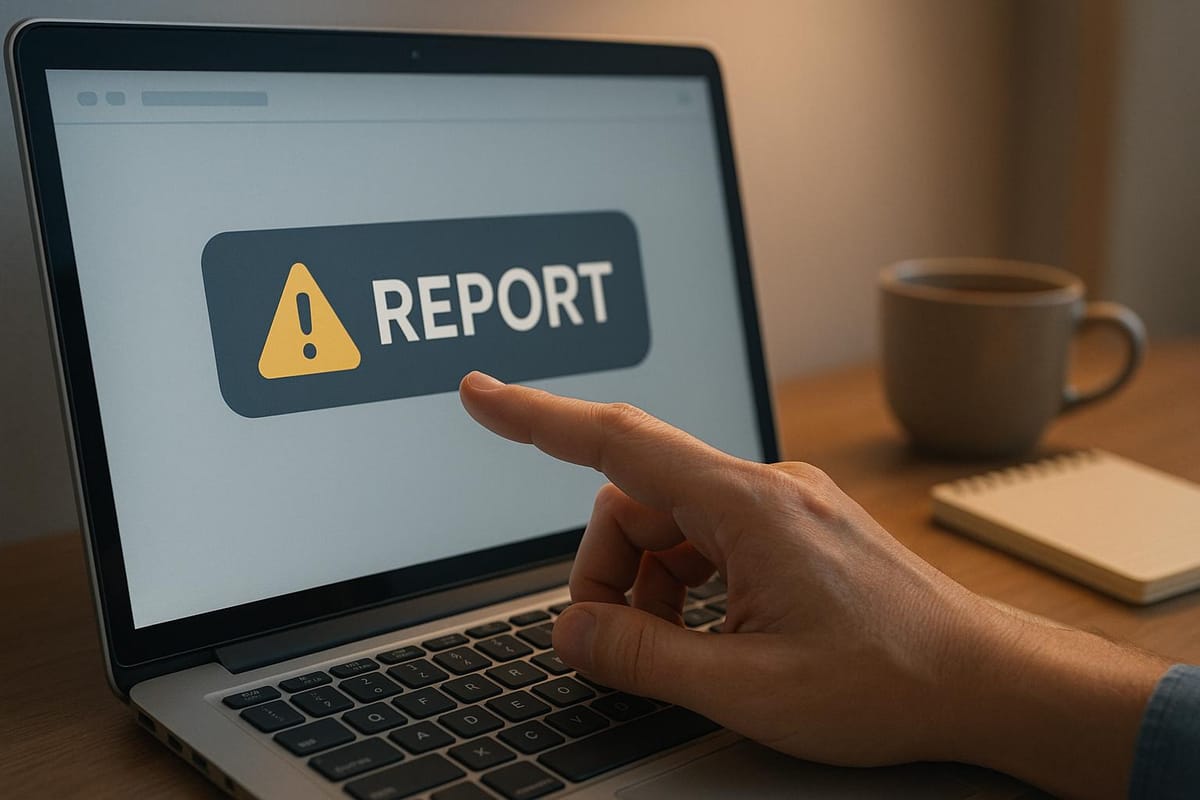
Abuse reporting is a system that allows users to report harmful online behavior like spam, phishing, cyberbullying, identity theft, and fraud. It’s a structured process involving identifying the issue, collecting evidence, and notifying platforms or authorities for action. Abuse reporting helps protect individuals, businesses, and platforms by addressing threats, removing harmful content, and improving online safety.
Key Takeaways:
- What It Covers: Issues like phishing, malware, harassment, fraud, and identity theft.
- Why It’s Important: Maintains trust, ensures safety, and complies with legal requirements.
- How It Works: Involves documentation (screenshots, timestamps, etc.), choosing the right reporting channel, and following up on cases.
- Who Benefits: Individuals, businesses, platforms, and law enforcement.
- Steps to Report: Identify abuse, gather evidence, submit a detailed report, and track the case.
Abuse reporting is critical for creating a safer digital environment and ensuring accountability in online spaces.
Types of Digital Abuse and Warning Signs
Understanding the different forms of digital abuse and recognizing their warning signs is critical for taking timely action. By identifying these issues early, you can report them effectively and help prevent further harm.
Common Types of Digital Abuse
Digital abuse can manifest in various ways, each posing unique risks. Here are some of the most prevalent types:
- Phishing Attacks: These involve fraudulent messages designed to trick victims into sharing sensitive information. Often, they redirect users to fake websites that mimic trusted platforms like banks, social media, or government agencies.
- Spam: While often dismissed as a nuisance, spam can carry hidden dangers. It floods inboxes with unwanted messages, sometimes containing malware or links to phishing sites. Beyond being annoying, spam can disrupt email systems and productivity.
- Malware Distribution: This refers to the spread of harmful software like viruses, ransomware, spyware, and trojans. These programs can damage devices, steal data, and even compromise entire networks.
- Online Harassment and Cyberbullying: Repeated abusive messages on digital platforms can cause significant emotional distress for victims.
- Financial Fraud: This includes schemes aimed at stealing money or financial data, such as credit card fraud, investment scams, fake charities, and unauthorized transactions.
- Domain Abuse: Malicious actors may register or hijack domain names to impersonate legitimate businesses, distribute malware, or launch phishing campaigns. This not only misleads users but also harms the reputation of affected brands.
- Identity Theft: By stealing personal information, criminals can impersonate victims, open accounts, make unauthorized purchases, or commit other crimes in their names.
Key Indicators of Abuse
Recognizing the signs of digital abuse can help you act quickly. Here are some red flags to watch for:
- Email Scams: Be wary of emails with generic greetings, urgent calls to action, suspicious sender addresses, poorly written content, or links leading to unfamiliar websites.
- Financial Fraud Clues: Unexpected charges, accounts you didn’t open, sudden credit score drops, or unfamiliar transactions on your statements are all warning signs.
- Account Compromises: Indicators include unexpected password resets, alerts about unusual logins, or sudden changes to account settings.
- System Compromise: Signs include slow device performance, unexpected pop-ups, unauthorized software installations, or changes to browser settings.
- Harassment or Impersonation: This might involve threatening messages, coordinated attacks from multiple accounts, unauthorized sharing of personal information, or attempts to impersonate you.
Spotting these indicators early can make a big difference in preventing further harm.
When to Report Abuse
Taking action as soon as you notice digital abuse is essential. Here’s how to handle different scenarios:
- Emergencies: If there’s immediate danger, call emergency services (911) right away.
- Time-Sensitive Cases: For issues like nonconsensual pornography or doxing, act quickly. If harmful content remains online for more than 48 hours, removing it becomes much harder.
- Suspected Abuse: Even if you’re not entirely sure, report suspected abuse. In cases involving elder or dependent adult abuse, mandated reporters are legally required to act if they observe or suspect abuse, or if the victim reports it. Failing to report in such cases can result in misdemeanor charges.
- Non-Emergency Issues: For threats that don’t require an immediate response, use online reporting systems, call non-emergency police numbers, or visit a police station.
It’s important to balance the need to remove harmful content quickly with preserving evidence for legal action. Victims should seek guidance on how to manage this effectively.
How to Report Abuse
Understanding how to report digital abuse effectively is a vital step in addressing and mitigating its impact. Here’s a clear guide to help you navigate the process.
Steps to Report Abuse
Once you’ve identified abuse, start by documenting everything. Take screenshots of abusive messages, suspicious emails, fraudulent websites, or any other evidence. Record URLs, dates, times, and the context of the abuse. If there’s an immediate threat to safety, call 911 right away. For non-urgent cases, gather additional evidence like email headers, IP addresses, and usernames to strengthen your report.
When filing your report, stick to the facts. Clearly outline what happened, when it occurred, and how it has affected you or others. Avoid using overly emotional language - focus on providing a detailed and factual account supported by the evidence you’ve collected.
After submitting your report, keep track of your case number or reference ID, which most platforms provide. Use it to check the status of your report, and make sure to save all related communications in case they’re needed later.
Choosing the Right Reporting Channel
The best reporting channel depends on the type of abuse. For social media issues like harassment, fake profiles, or scams, use the platform’s built-in reporting tools. If the abuse involves financial fraud, identity theft, or criminal activity, reach out to agencies like the Federal Trade Commission (FTC), the FBI’s Internet Crime Complaint Center (IC3), or the Federal Communications Commission (FCC).
Email providers such as Gmail, Yahoo, and Outlook also have tools for reporting spam and abuse, which help improve their filtering systems. For workplace-related issues, follow your company’s internal procedures - this might involve contacting human resources or using an ethics hotline.
If you’re handling multiple incidents or need help organizing your report, consider using centralized tools that simplify the process of compiling and submitting evidence.
What Happens After Reporting?
Once your report is submitted, you’ll typically receive an acknowledgment, often with a case number, within 24–48 hours. This number is crucial for tracking your case.
The investigation timeline depends on the complexity and severity of the abuse. Some reports, like those on social media, may be resolved in a few days. However, more intricate cases - such as financial fraud or incidents involving multiple parties - could take weeks or even longer. Investigators will review your evidence and may contact you for additional information.
Outcomes can range from content removal and account suspensions to IP address blocking, domain takedowns, or even law enforcement referrals. If you’re unhappy with the response, many platforms offer an appeal or escalation process - always reference your case number when following up.
Even after reporting, remain vigilant. Monitor your accounts, update your security settings, and stay alert for any new signs of abuse to protect yourself moving forward.
Evidence Collection and Documentation
Gathering evidence thoroughly is a cornerstone of effective abuse reporting. The quality of your documentation can directly influence the outcome of an investigation. Knowing what evidence to collect, how to safeguard it, and how to present it clearly can greatly strengthen your case.
Types of Evidence to Collect
Digital communications are often central to abuse cases. Always capture full messages, including technical details like full headers, sender IPs, and timestamps - screenshots alone aren't enough. For text or instant messages, record the sender's phone number or username, the exact time of receipt, and any relevant profile details.
Screenshots and visual evidence need to be comprehensive. Ensure screenshots include URLs, timestamps, and the full browser window, especially for web-based abuse. For social media cases, document the user's profile, the abusive content, and any prior interactions.
Website and domain information can reveal critical details. Record full URLs and use tools like WHOIS to obtain domain registration data. For phishing or fraudulent sites, save the page source code and note any redirects.
Financial records are key in fraud cases. Save copies of bank statements showing unauthorized transactions, receipts from disputed charges, and any related correspondence. Clearly document amounts, transaction dates, and merchant details. For cryptocurrency-related issues, include wallet addresses, transaction hashes, and blockchain confirmations.
Network and technical data provide essential insights. This includes IP addresses, server logs (if accessible), email routing details, and any error messages. For malware or security breaches, preserve system logs and antivirus alerts for investigators.
How to Preserve Evidence
Immediately back up evidence in three places: your local device, cloud storage, and an external drive. This redundancy protects against accidental loss, ensuring evidence remains accessible throughout the investigation.
Preserve original files to retain metadata, as this data is often crucial for analysis. If you need to make copies, label them clearly to distinguish originals from duplicates. Always log details like the date, time, and method of collection, and secure files with encryption and restricted access. This is especially important if your case moves to legal proceedings.
If your evidence includes personal information about others, take extra measures to protect their privacy while maintaining the integrity of your case. Additionally, avoid altering original evidence. If annotations are necessary, create a separate copy for that purpose while keeping the original intact.
Documentation Standards
Organize evidence in chronological order and use consistent naming conventions to make it easy to locate specific items. For example: "2024-11-15_Email_Phishing-Attempt_001.pdf" or "2024-11-20_Screenshot_Fake-Profile_Instagram.png." This approach creates a clear timeline for investigators.
Prepare an evidence summary as an index for your materials. Include a brief description of each item, the date it was collected, and its relevance to your case. This summary helps investigators quickly understand the scope of your submission.
Add contextual information to explain the broader impact of the abuse. Detail how it has affected you or your organization, any financial losses incurred, and steps you've already taken to address the issue. This context helps investigators prioritize your case and determine the appropriate response.
Present your evidence professionally by sticking to factual, objective language. Avoid emotional descriptions or personal opinions about the perpetrator. Focus on what happened, when it occurred, and how your evidence supports these claims. A clear, professional tone not only strengthens your report but also ensures investigators can concentrate on the facts.
Meticulous documentation not only aids investigations but also enhances the credibility of your report, playing a crucial role in addressing digital abuse effectively.
Building an Abuse Reporting System for Organizations
To effectively safeguard both operations and users from digital abuse, organizations need to establish a solid internal reporting system. This not only helps protect the company’s reputation but also ensures compliance and creates a safer digital environment. Below, we’ll explore the key steps and tools necessary to build such a system.
Setting Up Internal Reporting Processes
Start by assembling a dedicated abuse response team. Each department plays a specific role: IT handles technical threats, the legal team addresses harassment or defamation issues, and customer service manages and escalates user reports.
Next, standardize your reporting procedures. Offer employees and users multiple ways to report abuse, such as email, ticketing systems, or anonymous forms. Clearly define response times based on the severity of the issue - critical threats might need immediate attention, while less urgent matters could have a 24–48 hour window.
Training is crucial. Employees must be able to identify abuse patterns, follow escalation protocols, and preserve evidence without jeopardizing investigations. Regular training sessions - quarterly, if possible - along with quick-reference guides can help your team stay prepared for incidents.
Create clear escalation pathways tailored to different types of incidents. For example, financial fraud might require immediate input from the finance and legal teams, while a technical breach would demand an urgent IT response. Tools like decision trees can simplify this process, ensuring that serious cases reach senior management without delay.
Using Abuse Reporting Tools
Platforms like AbuseReport.org can simplify the entire reporting workflow, offering real-time insights and seamless integration with your existing systems. Features such as email, IP, and VPN/proxy validations help identify suspicious activity quickly.
The platform’s API and SDK tools make it easy to flag potentially harmful registrations or actions. These tools are designed to be accessible to both technical and non-technical staff, ensuring that everyone can contribute to the detection process.
Automation is another key advantage. For instance, the system can detect disposable email addresses often linked to fraudulent activity and validate email authentication protocols. This reduces the need for manual review while boosting accuracy.
To further protect your organization, consider integrating abuse reporting tools with payment processors like Stripe or PayPal. This allows for direct dispute reporting, helping to minimize financial losses without compromising legitimate customer access.
Monitoring and Follow-Up
Centralize your case tracking by logging essential details such as report dates, assigned investigators, actions taken, and resolutions. Linking this system to your existing CRM or ticketing platform provides a comprehensive view of each case’s status and progress.
Establish clear follow-up protocols to ensure timely resolution. Automated reminders, investigation deadlines, and approval processes can keep everything on track. For critical incidents, daily updates may be necessary, while less pressing matters can be reviewed weekly.
Track system performance using measurable metrics like average response times, case resolution rates, and user satisfaction. Analyzing trends in abuse reports can also help you refine your defense strategies over time.
Finally, conduct regular reviews of closed cases to identify weaknesses and improve training. Use these insights to update your protocols and keep your team prepared. Quarterly audits of your reporting tools, training programs, and response processes can ensure your system stays effective as your organization and the threat landscape evolve.
Conclusion and Key Takeaways
Summary of Key Points
Abuse reporting plays a crucial role in protecting both individuals and organizations from increasingly sophisticated threats. By understanding the various forms of digital abuse - like email scams, IP-based attacks, social media harassment, and financial fraud - you can identify warning signs early and take action before they escalate.
The effectiveness of abuse mitigation lies in following a structured approach. Choosing the right reporting channel - whether it's platform administrators, law enforcement, or third-party services - depends on the severity of the abuse.
Preserving strong evidence, such as screenshots, email headers, IP addresses, and timestamps, is essential. Without this documentation, even serious cases may go unresolved due to a lack of proof.
For organizations, having robust internal reporting systems is non-negotiable. These systems not only ensure smooth operations but also uphold user trust. This involves assembling cross-functional response teams, setting up clear escalation protocols, and using automated tools to detect suspicious behavior in real time. Abuse reporting, as highlighted here, is a cornerstone of digital security.
Next Steps for Users and Organizations
To strengthen your abuse reporting efforts, here’s what you can do next:
For individual users, familiarize yourself with the reporting tools available on the platforms you use. Bookmark reporting forms, understand your rights when dealing with digital harassment, and practice gathering evidence so you're prepared if needed. As preventive measures, set up email filters and enable two-factor authentication to add extra layers of security.
For organizations, start by evaluating your current abuse reporting systems. Conduct an audit to assess response times, documentation standards, and employee readiness to identify and address various forms of digital abuse.
Next, consider implementing integrated abuse reporting tools. These tools can simplify your reporting process and enable quicker, more effective responses to incidents.
Finally, make it a habit to review and improve your reporting processes regularly. Schedule quarterly evaluations, update employee training materials, and analyze trends in the abuse cases your organization encounters. Staying proactive ensures you’re prepared for emerging threats and helps maintain user confidence in your platform’s security.
FAQs
How can I properly document evidence when reporting abuse?
To properly document evidence for abuse reporting, start by maintaining detailed records of each incident. Include dates, times, locations, and provide a clear, factual description of what occurred. When possible, gather photos or videos of relevant evidence, such as visible injuries or property damage. Additionally, preserve written communications like emails, text messages, or social media exchanges that could support your case.
If physical harm is involved, seek medical attention to have injuries documented by a professional. When it's safe, consider filing a police report to create an official record. Staying organized and thorough ensures your report is both accurate and effective.
How can organizations create an effective internal system for reporting abuse?
To create an effective internal abuse reporting system, organizations need to focus on a few essential steps.
Start by establishing clear and comprehensive policies that define what qualifies as abuse. Make sure every employee understands these guidelines through regular training sessions. These sessions not only clarify expectations but also encourage employees to actively engage in maintaining a safe workplace.
Next, introduce easy-to-use reporting tools. These tools should make it simple for employees or users to report incidents while ensuring their confidentiality. Include straightforward instructions on how to file a report, and emphasize that privacy will be respected. Assign a dedicated team or individual to handle these reports promptly and ensure appropriate actions are taken.
Finally, make it a habit to review and refine your reporting system on a regular basis. This helps keep the system relevant and effective as needs evolve. Actively seek feedback from employees and users to uncover potential gaps or areas for improvement. By fostering a workplace culture rooted in accountability and safety, organizations can take meaningful steps toward addressing and preventing abusive behavior.
How does reporting abuse help both individuals and organizations?
Reporting abuse is a key step in making digital spaces safer for everyone. For individuals, it provides a way to highlight harmful or inappropriate content, ensuring their concerns are taken seriously while keeping their online interactions secure. It also gives users the power to push back against harassment, fraud, or other abusive behaviors they encounter.
For platforms and organizations, abuse reporting serves as a vital tool to identify and address activities that could harm trust and safety. By handling these reports promptly and effectively, they can create a more positive user experience, minimize risks like online harassment, and maintain a secure environment for their community. Taking this initiative not only safeguards users but also helps organizations protect their reputation and manage resources more efficiently.